What Does the Timezone Setting in My Profile Do?
Last updated: March 22, 2026
The timezone setting on your profile controls how Gumloop interprets and displays times across the platform — including scheduled triggers, credit usage dates, and the context your agents use when you ask time-related questions.
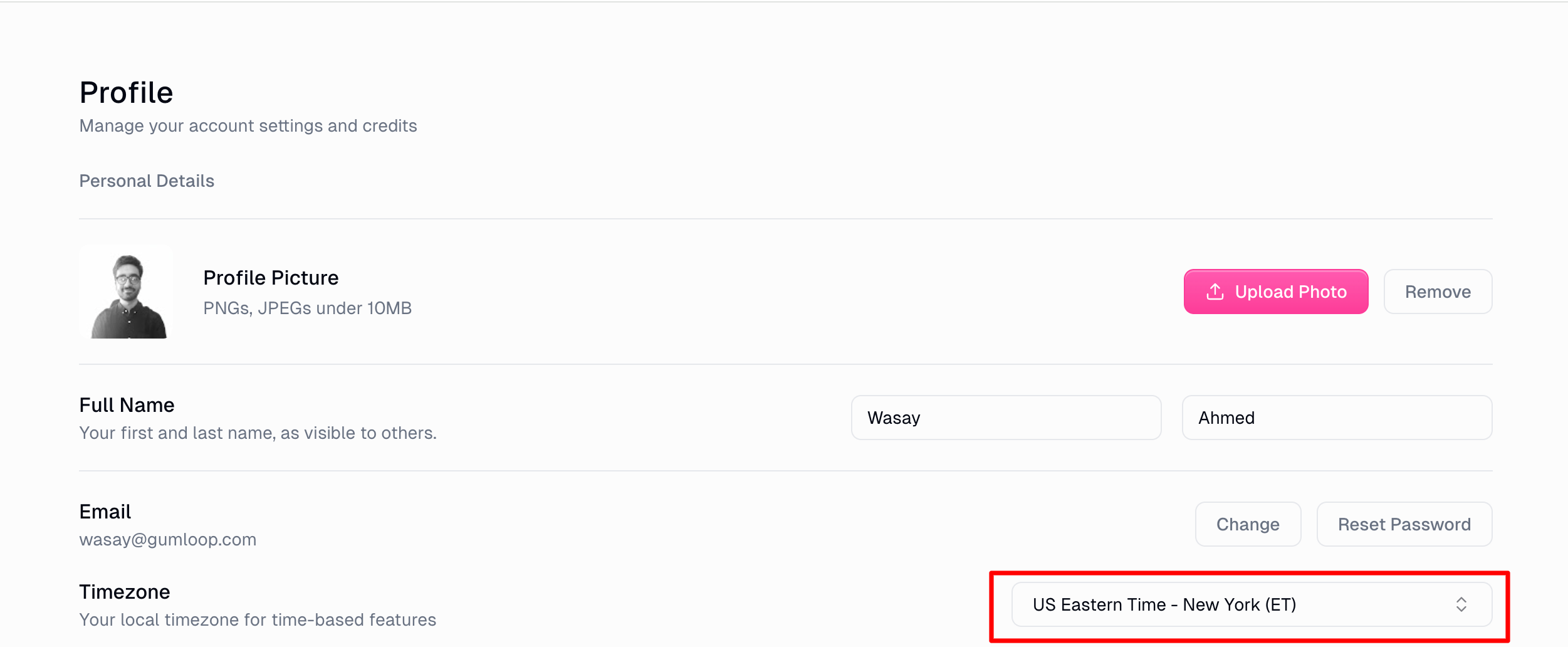
Where to Find It
Go to Settings > Profile > General.
Under Personal Details, find the Timezone dropdown.
Search or scroll to select your timezone (e.g.,
America/New_York,Europe/London).Your change saves automatically.
What It Affects
Scheduled triggers and cron expressions
When you set up a scheduled trigger or an agent scheduled task, your timezone determines when the schedule actually fires. A trigger set to "every day at 9:00 AM" will run at 9:00 AM in your timezone, not UTC.
Agent time awareness
Your agents automatically know your timezone. When you ask an agent something like "what meetings do I have today?" or "send a summary every morning," it interprets those times in your local timezone. You don't need to specify it each time.
Credit usage and billing date ranges
When you view your credit usage or filter by date range, the start and end dates are interpreted in your timezone. This ensures the usage breakdown aligns with your local calendar days.
Data exports
Custom date ranges in data exports also use your timezone, so the exported data matches the date boundaries you'd expect.
Default Behavior
Auto-detected on first sign-in. Gumloop reads your browser's timezone when you first create your account and saves it automatically. If you've never changed this setting, it's already set to whatever your browser reported.
Falls back to UTC. If your timezone can't be detected for any reason, it defaults to
UTC.IANA format. Timezones use standard IANA names like
America/ChicagoorAsia/Tokyo— not UTC offsets. This means daylight saving time adjustments are handled automatically.
Common Questions
I changed my timezone but my scheduled trigger still fires at the old time. Existing triggers created before the change may still use the timezone that was set when they were created. Edit the trigger and re-save it to pick up your updated timezone.
Does this affect other people in my organization? No. The timezone setting is per-user. Each team member can set their own.
Related Docs
Still Need Help?
If this didn't resolve your issue, reach out to support at support@gumloop.com.