How to Scrape a Website With Gumloop
Last updated: March 26, 2026
Use a Gumloop agent with a web scraping MCP tool. Add Firecrawl, Exa, or Parallel to your agent's toolset, then tell the agent what you want to scrape in plain language — the agent picks the right strategy automatically.
Which Approach Should You Use?
Gumloop agents don't have web access by default. To scrape or research websites, you connect one or more MCP tools to your agent -- the agent then picks the right tool based on what you ask it to do.
Tool | Best for |
Firecrawl MCP | Full-site crawls, bulk scraping, bot-protected sites, screenshots, structured extraction |
Exa MCP | Research and discovery — finding relevant pages, extracting content, similarity search, cited answers |
Parallel MCP | Web search + content extraction + website change monitoring |
Not sure which MCP tool to pick? See the comparison below.
Comparing the MCP Options
Capability | Firecrawl | Exa | Parallel |
Single page scrape | Yes | Yes | Yes |
Full site crawl | Yes | No | No |
Bulk URL scraping | Yes | Yes | No |
Web search | Yes | Yes (neural + keyword) | Yes |
Find similar pages | No | Yes | No |
Change monitoring | No | No | Yes |
Autonomous site navigation | Yes (Deep Extract) | Yes (Research Task) | Yes (Task Run) |
Bot-protected sites | Best — residential proxies available | Good | Good |
Best for | Crawling whole sites, bulk scraping, screenshots | Research, discovery, cited answers | Monitoring + light extraction |
General guidance:
Scraping full websites or large batches of URLs → Firecrawl
Researching a topic, finding relevant pages, getting cited answers → Exa
Monitoring a competitor page for changes → Parallel
You have a complex research agent → add all of them
Setting Up MCP Tools
The setup is the same for all three:
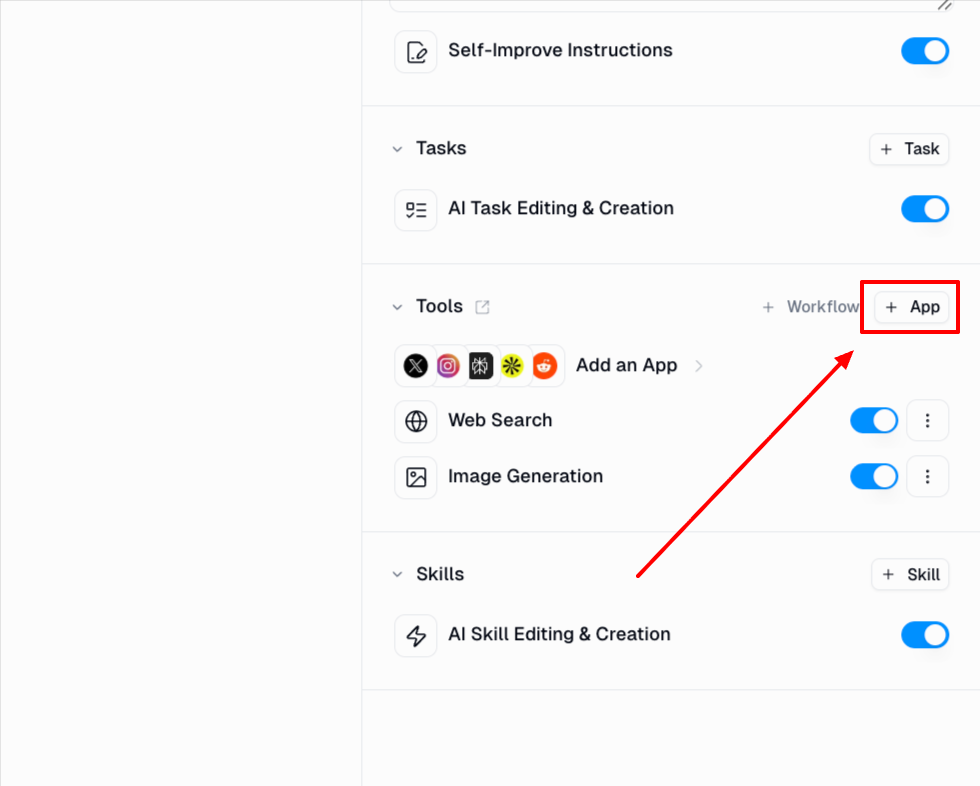
Open your agent and click + App in the Tools section.
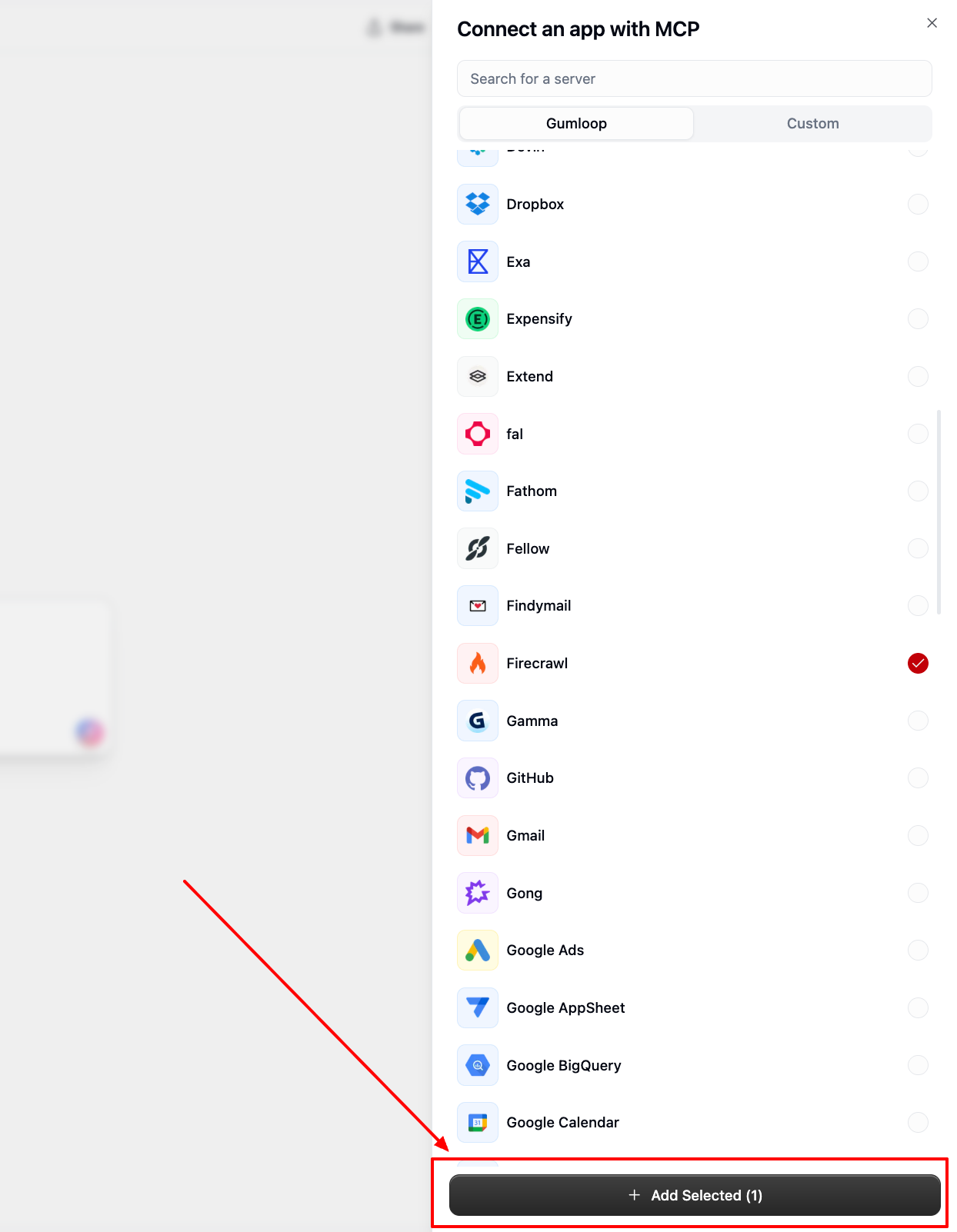
Search for Firecrawl, Exa, or Parallel.
Select it and click Add Selected.
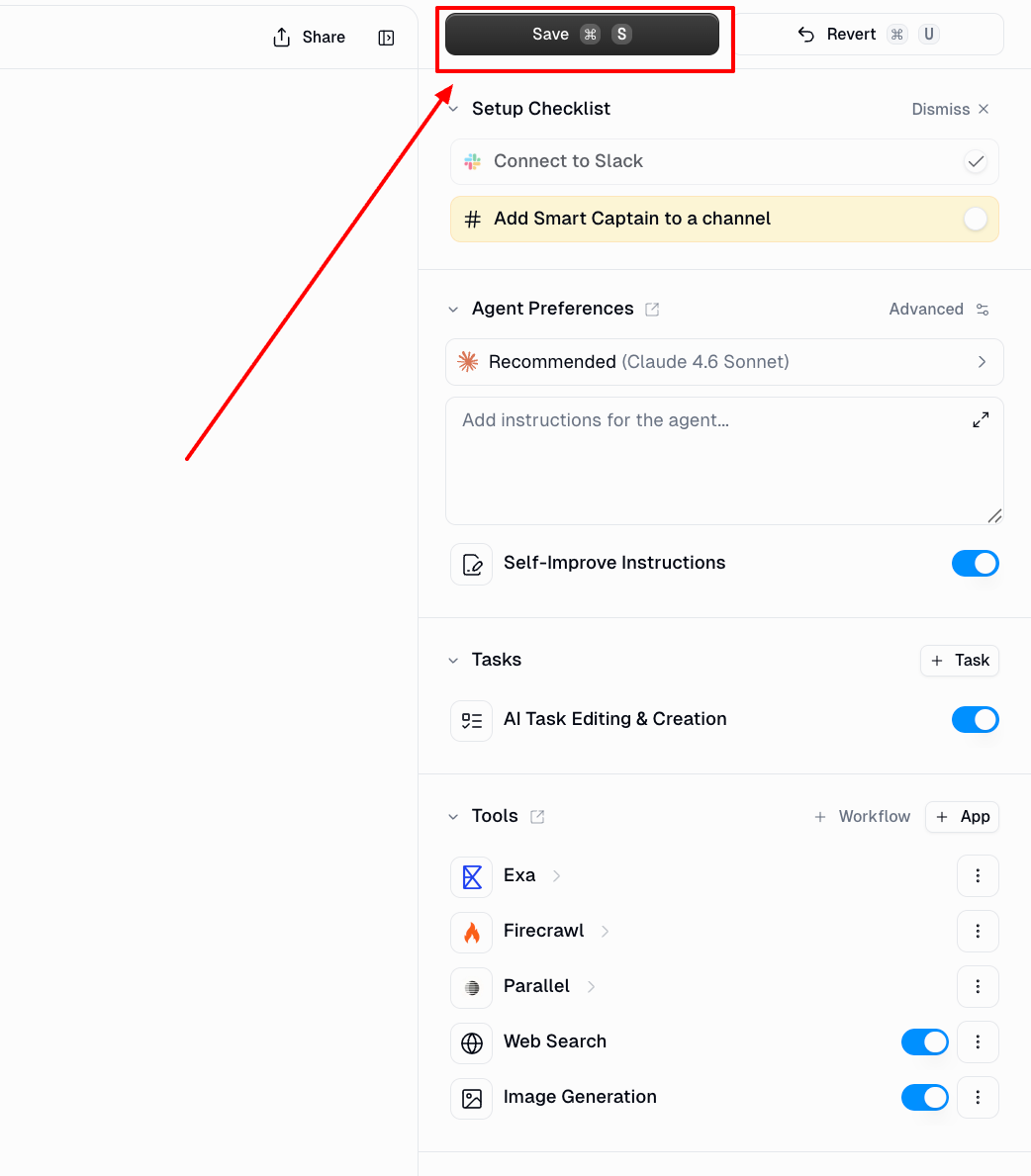
Click Save in the top-right corner.
Common Issues
The site returns empty results or blocked errors
Some sites use bot protection (like Cloudflare) to block automated requests -- switch to Firecrawl MCP, which uses residential proxies and handles these restrictions significantly better.
"The provided URL is not reachable"
The URL is not publicly accessible or has a DNS issue. Check that:
The URL includes
https://The site is not behind a VPN or firewall
The domain is spelled correctly
The content is behind a login
Scraping tools only see what a logged-out visitor sees. If the platform has a native Gumloop integration (Confluence, Notion, Google Drive, HubSpot), use that instead. It authenticates via API and gives you reliable access without scraping. For example, to pull Confluence pages into your agent, add the Confluence MCP tool rather than scraping the URL.
Firecrawl Screenshots stop loading after a while
Screenshot URLs from Firecrawl are signed temporary URLs. Download images to your own storage within the same agent session if you need them long-term.
For anything else, reach out at support@gumloop.com or in the shared Slack channel.